
Advanced Bar
Advanced Bar is coming soon on PC.
About Advanced Bar
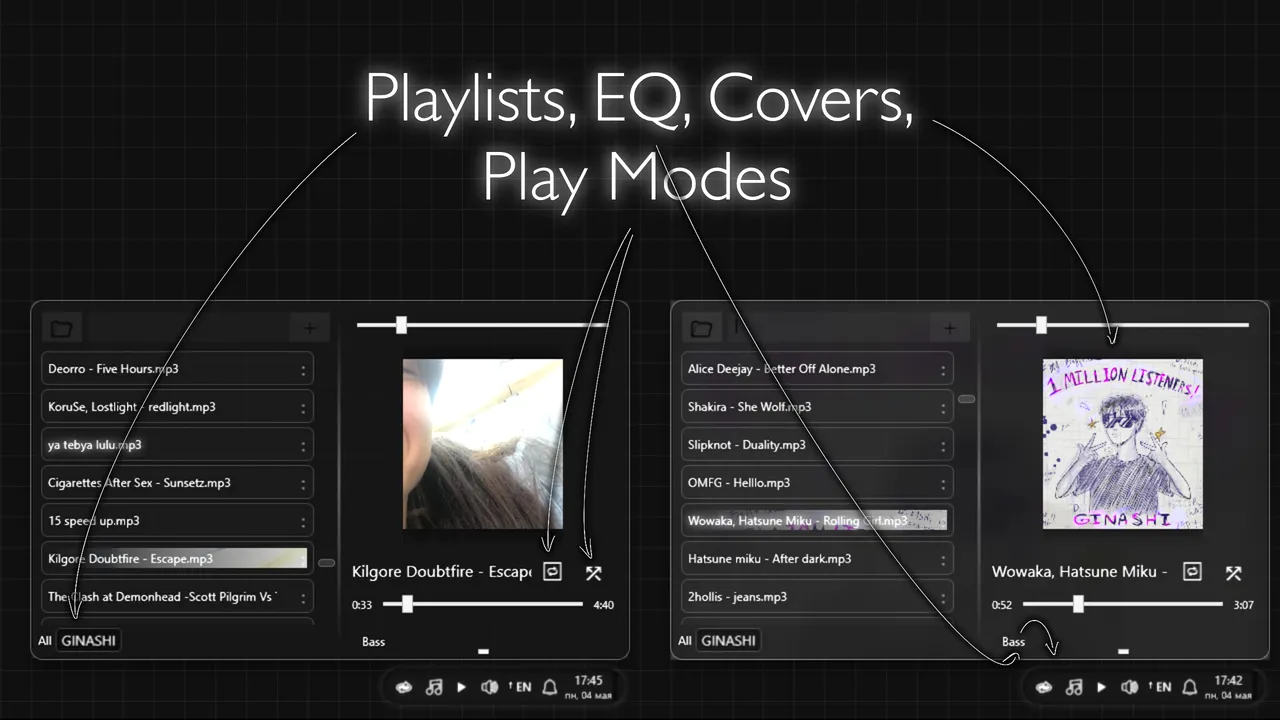
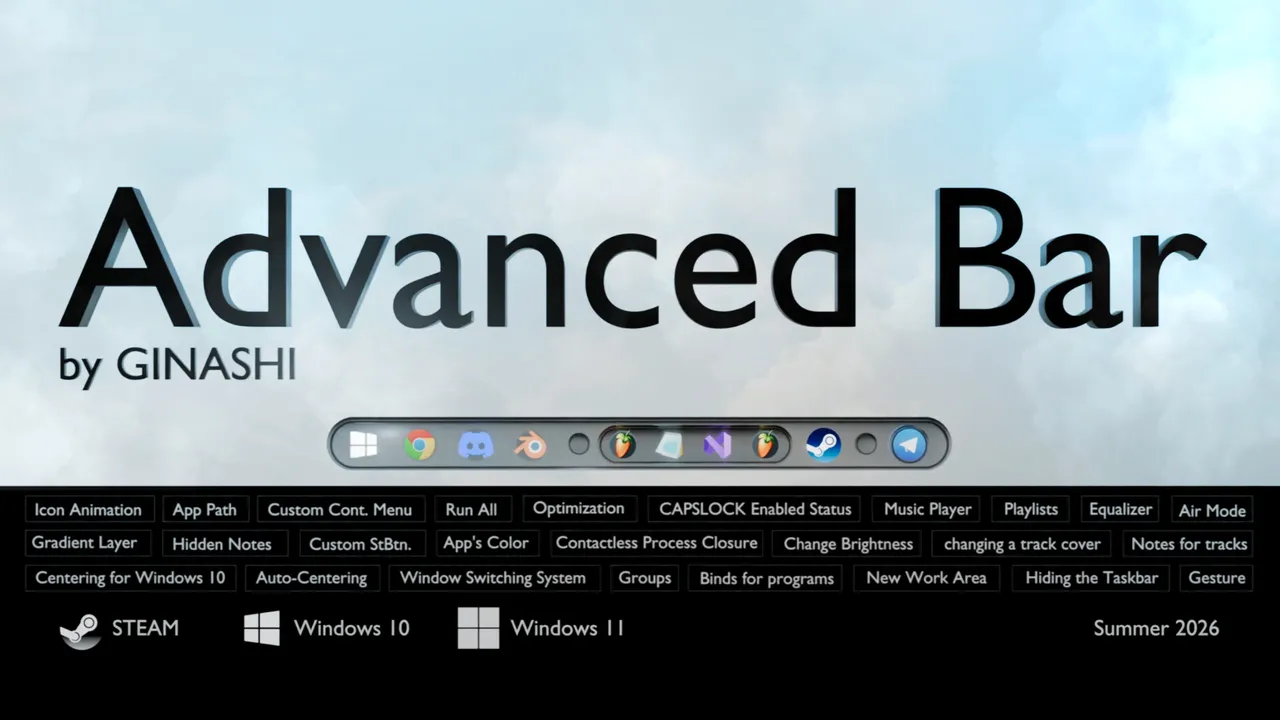
The Advanced Bar release date is July 16, 2026, for PC. This utility from developer GINASHI is less a simple skin and more a functional overhaul of the Windows taskbar, aiming to replace standard OS behaviors with a proprietary three-tier customization system. While many desktop tools focus on aesthetics, this software prioritizes a fundamental redesign of how users interact with open windows and the Start menu, moving away from the default Microsoft UX patterns.
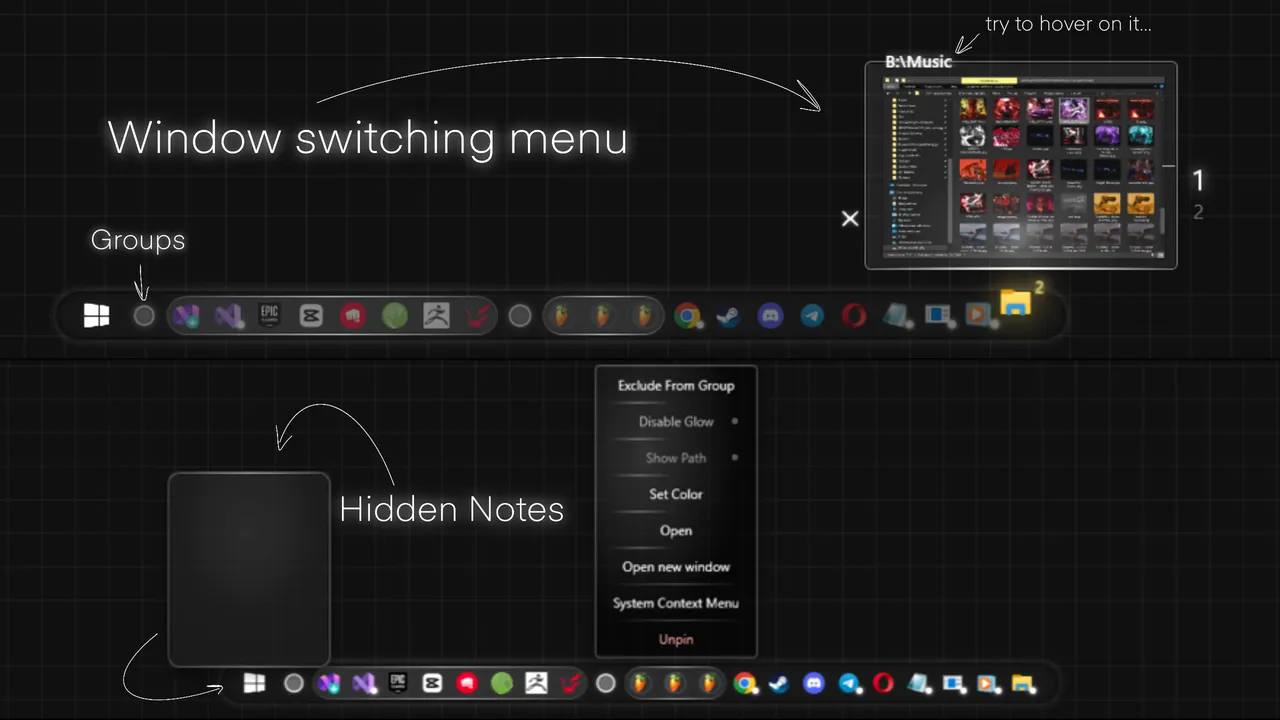
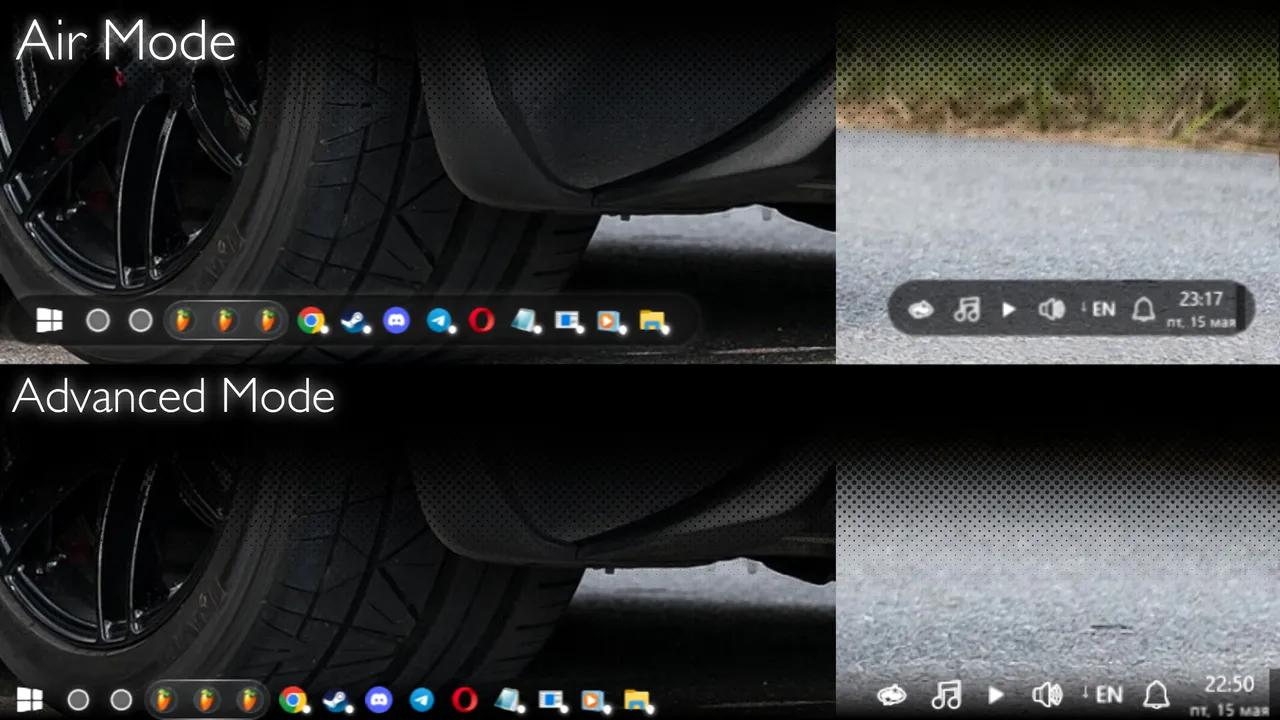
The core of the experience is built on the Advanced Mode, which discards the native taskbar in favor of a custom interface. The most significant mechanical shift here is the window switching system. Instead of the standard row of individual thumbnails, Advanced Bar uses a single dynamic preview area. By dividing this space into zones, the software cycles through open windows based on cursor position within that single box. This represents a distinct risk for muscle memory, as it asks users to trade the horizontal scan of traditional taskbars for a precision-based hovering mechanic.
The Advanced Bar Release Date and Custom Modes
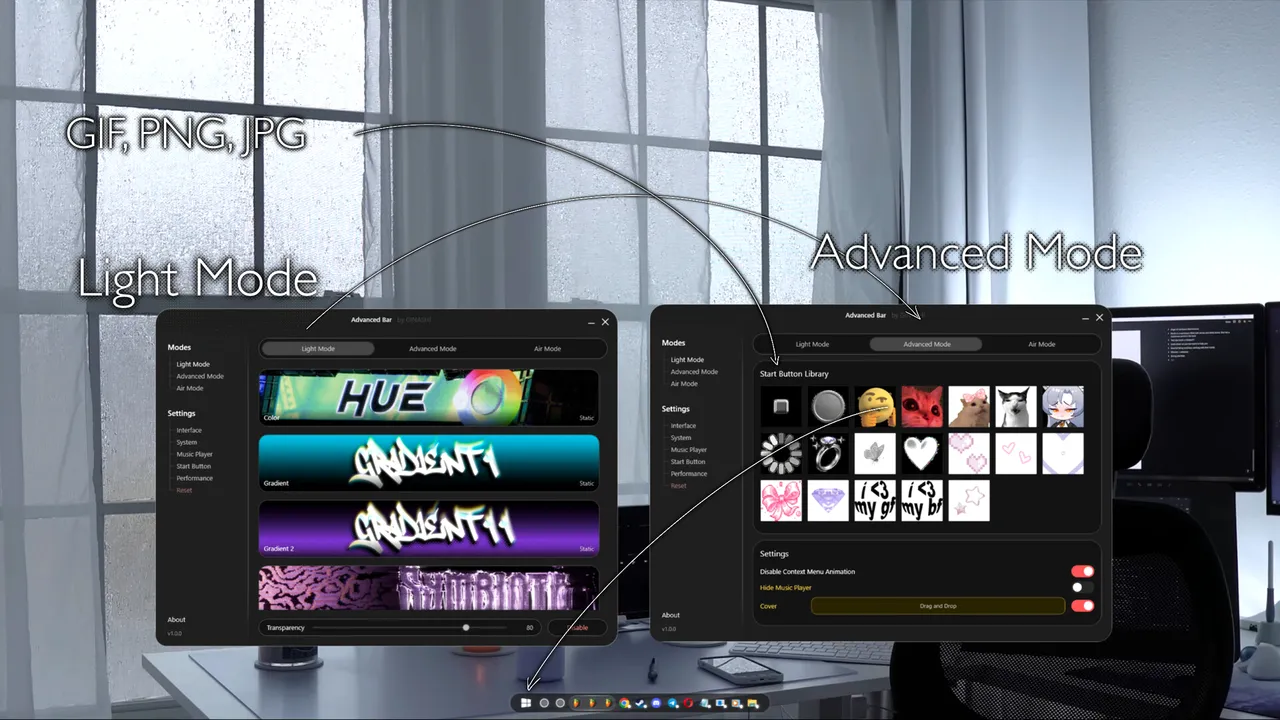
GINASHI provides two primary levels of interaction to suit different comfort levels with OS modification. Light Mode serves as a conservative entry point, focusing on transparency adjustments and the application of static or animated backgrounds without breaking the standard Windows logic. This is for users who want the visual flair of a custom desktop without re-learning how to manage their active applications. In contrast, the deeper modes introduce automation, such as a hover-to-close feature that terminates processes after a four-second delay without requiring a click, a system that could either streamline a workflow or lead to accidental closures depending on the sensitivity of the implementation.
For those who find the stock Windows interface too rigid, Advanced Bar offers a way to inject personality through custom Start button assets, supporting PNG, JPG, and GIF formats. This release matters because it challenges the standard desktop workflow by introducing hidden windows and grouped app structures. Whether the four-second automated process termination feels like a productivity shortcut or a UI hazard is the primary question for potential users. It is a tool for enthusiasts who view their operating system as a canvas for efficiency rather than a fixed environment.
System requirements
Minimum
- OS
- Windows 10, Windows 11
- Processor
- 1.66 GHz Intel i5 or equivalent
- Memory
- 2048 MB RAM
- Graphics
- HD Graphics 4000 or above
- Storage
- 2000 MB available space
- Additional Notes
- Power requirements depend on enabled features and modes.
Recommended
- OS
- Windows 10, Windows 11
- Processor
- Intel i7
- Memory
- 2048 MB RAM
- Graphics
- NVIDIA GeForce GTX 660, AMD HD7870, 4 GB VRAM or above
- Additional Notes
- Power requirements depend on enabled features and modes.
Frequently asked questions
When does Advanced Bar come out?
Advanced Bar does not have a confirmed release date yet; it is currently listed as Coming soon.
Is Advanced Bar out yet?
Not yet. Advanced Bar has not been given a release date.
What platforms is Advanced Bar on?
Advanced Bar is coming to PC.




No comments yet. Be the first to share your thoughts.