

Multi Auto Clicker
Multi Auto Clicker is out now on PC, released on July 14, 2026.
About Multi Auto Clicker
Multi Auto Clicker is a desktop automation utility for Windows that trades complexity for control, letting you automate mouse and keyboard tasks through either a streamlined beginner mode or a full-featured workflow system. The release date for Multi Auto Clicker is July 14, 2026, exclusively on PC.
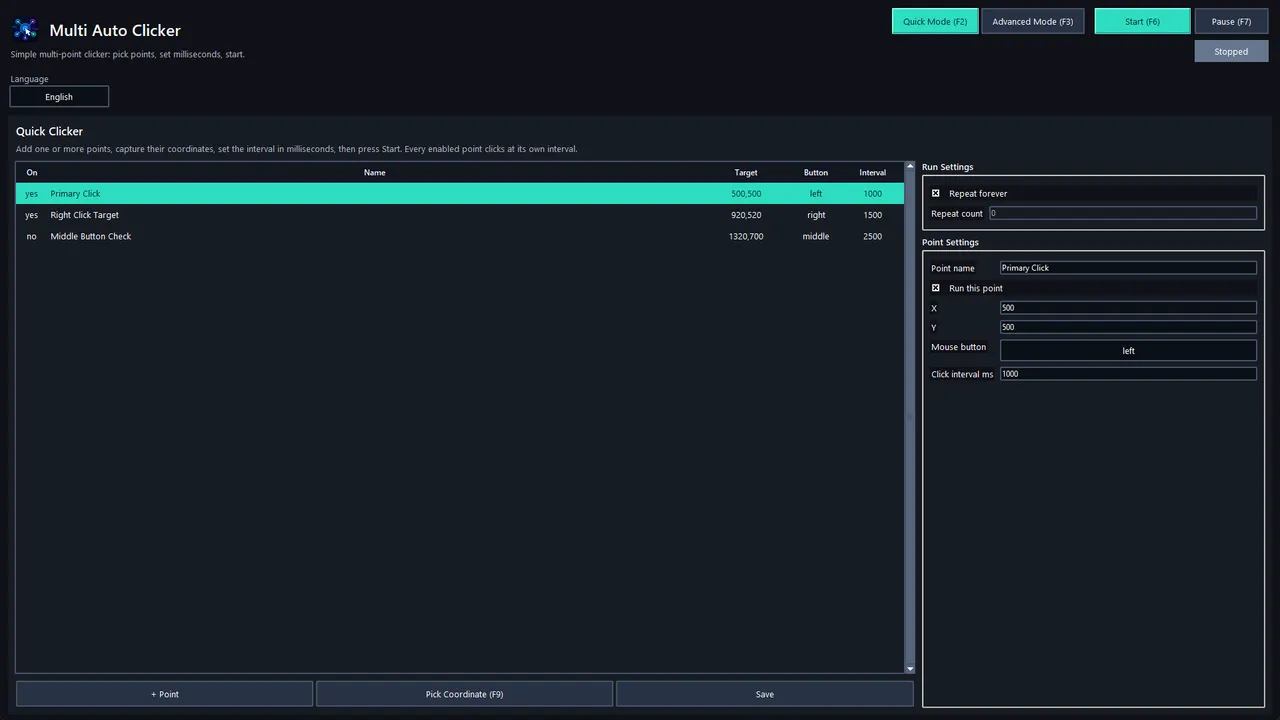
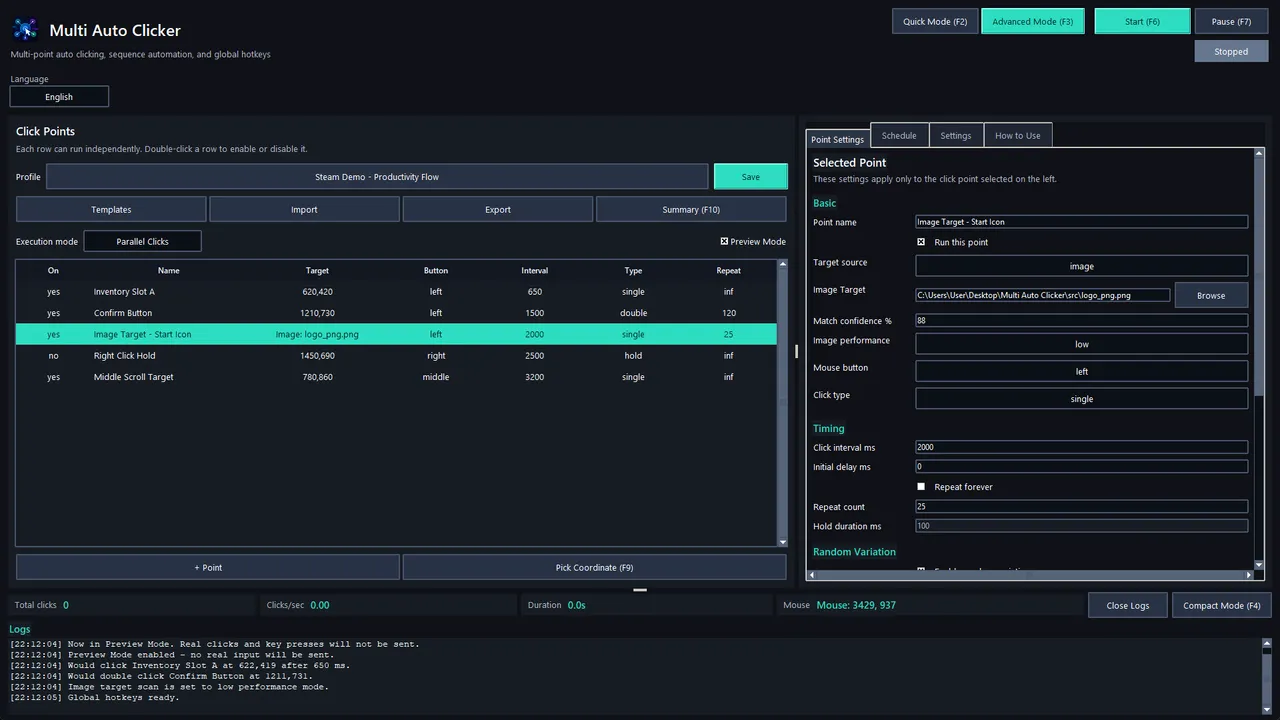
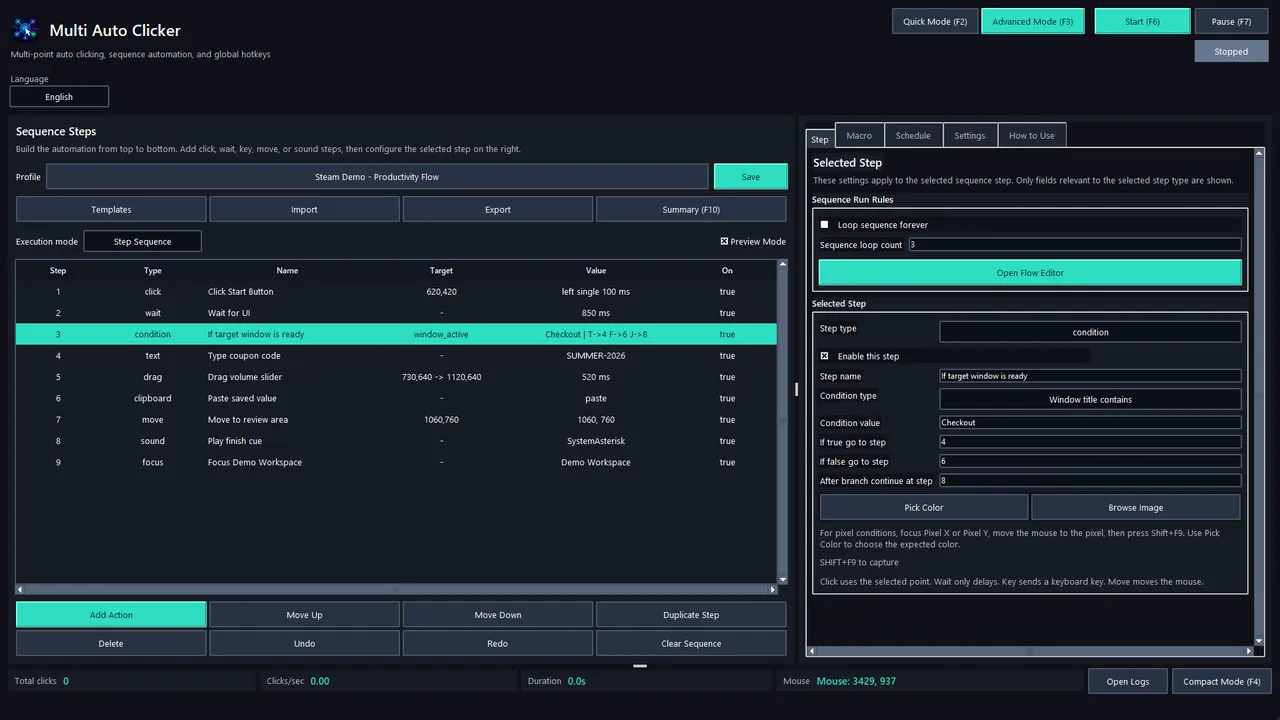
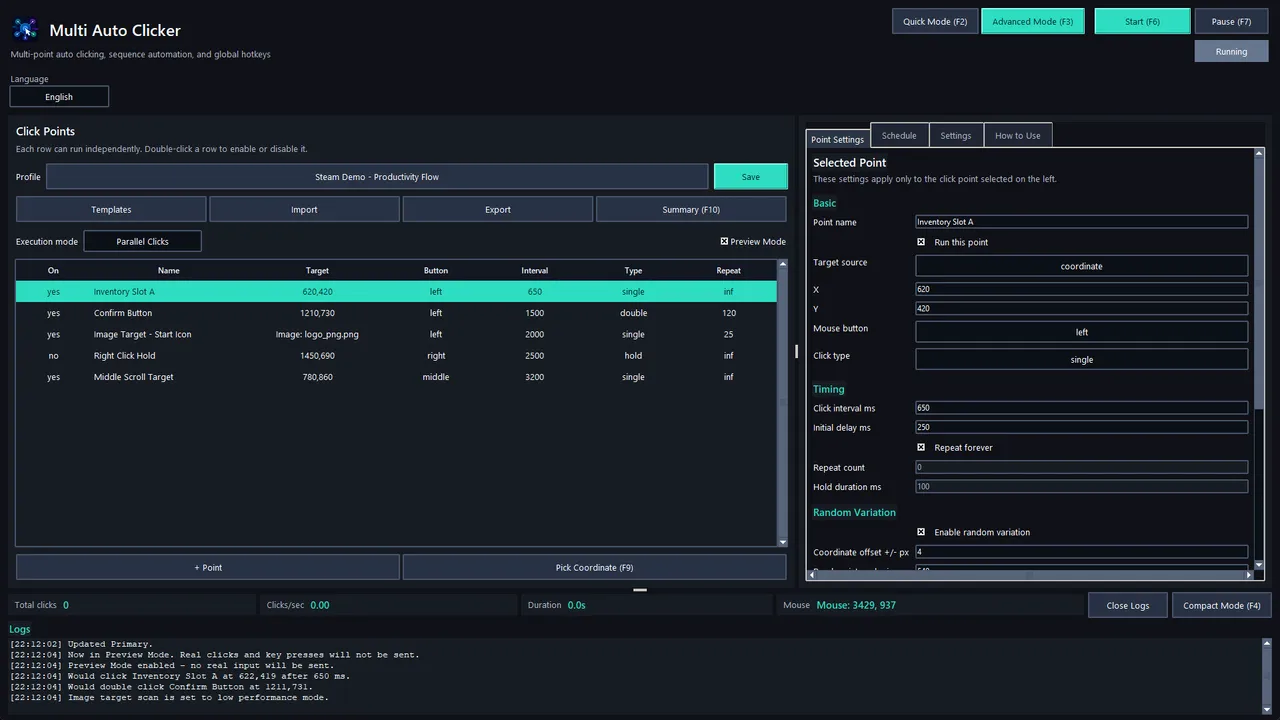
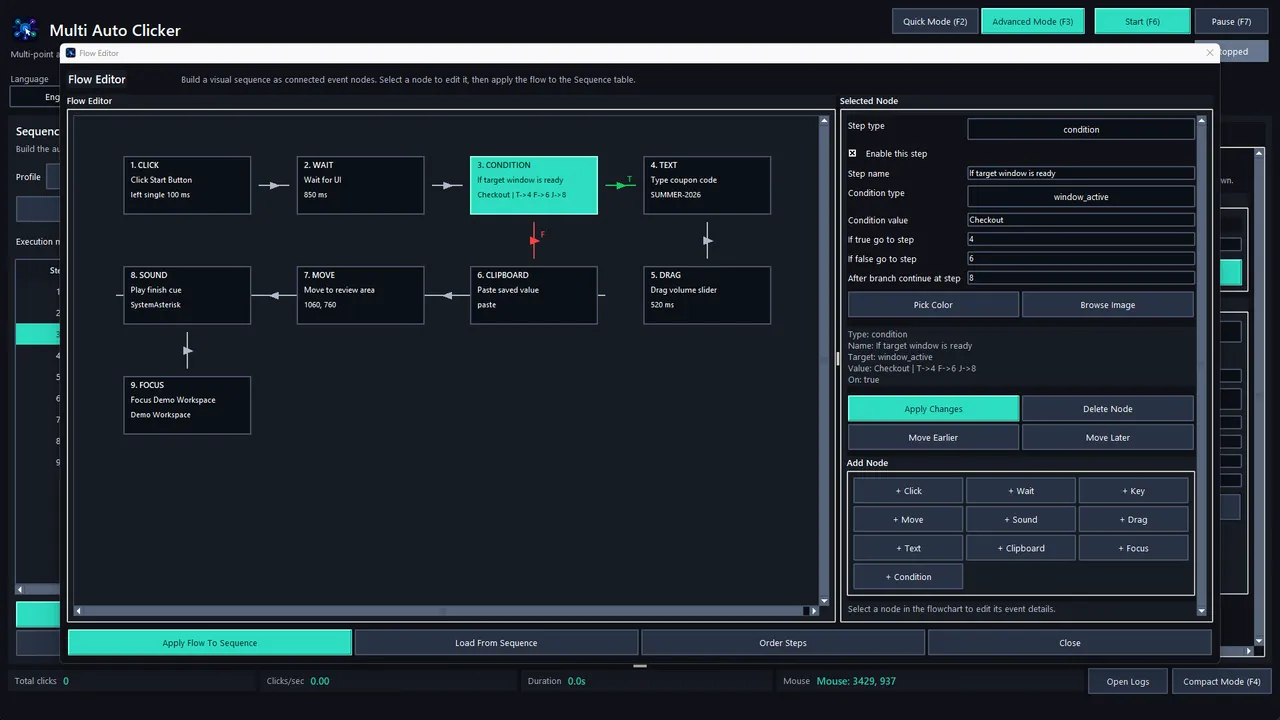
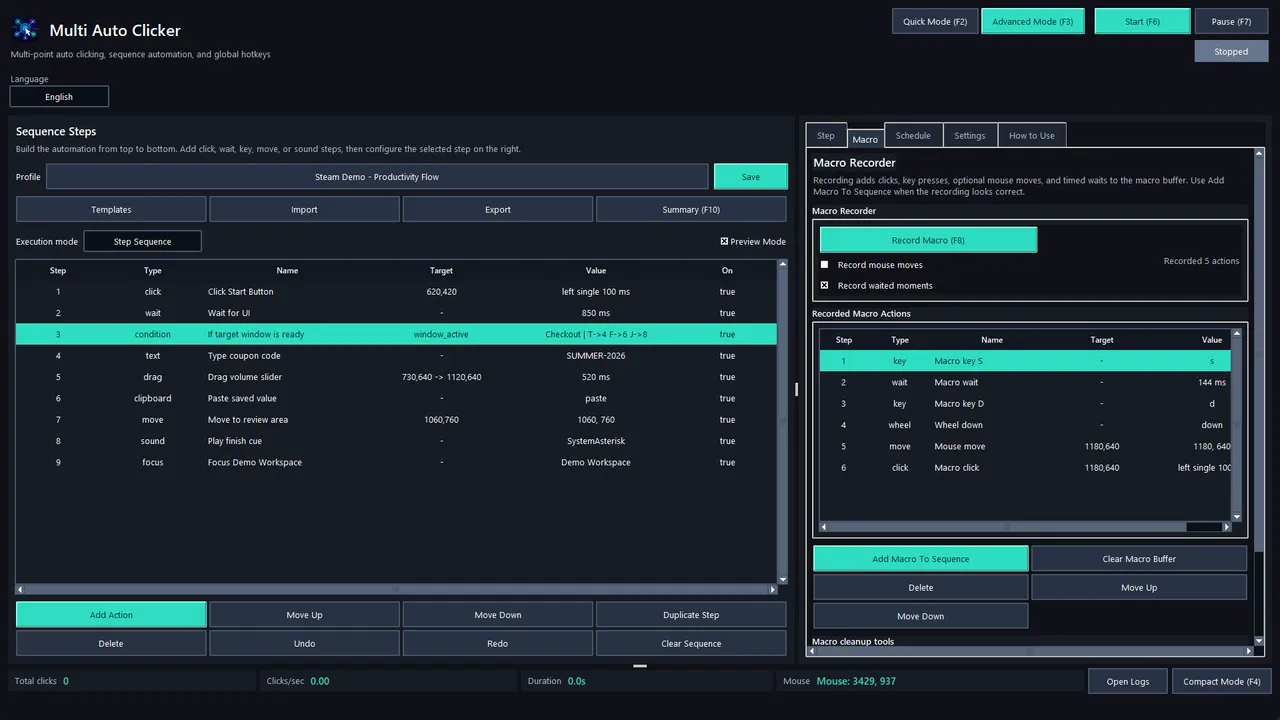
The design splits cleanly into two entry points: Quick Mode lets you drop click coordinates, set a mouse button and interval, and run, which covers routine single-task loops in minutes. Advanced Mode opens the full toolkit—parallel click points that execute simultaneously, step-by-step sequences, visual flow editing, conditional branching, image and pixel detection, macro recording, scheduling, and reusable profiles. This tiered approach avoids forcing a learning curve on users who only need to automate one repetitive action, while keeping the deeper systems available for complex workflows that chain multiple actions across windows or conditions.
Automation scope and control systems
The core loop is building automation profiles from modular building blocks: clicks, keyboard input, waits, mouse movement, drag actions, clipboard operations and image or pixel checks. Each click point carries its own timing rules (fixed or randomised intervals and delays), hotkey triggers, offset parameters to simulate human variance, and target detection via image matching or colour sampling. Sequences stack these blocks into ordered steps or parallel branches, and conditional logic gates execution based on whether an image is found or a pixel matches, letting automation adapt instead of running fixed routines. Scheduling allows profiles to run on a timer or triggered at specific times, and profiles themselves are reusable, so a single setup can govern multiple independent repetitive tasks.
The visual Flow Editor shifts workflow design from text or list-based configuration to node-graph building, which typically makes complex conditional chains easier to visualise and debug than nested text rules, though adoption depends on whether you think in visual or logical steps. Safety controls—sound alerts, human-like mouse movement options, hotkey abort—sit alongside the automation itself, which matters because unattended automation can create unintended consequences if a targeted window closes or focus shifts unexpectedly.
Whether Multi Auto Clicker answers the core promise—fast, precise, reliable desktop automation without scripting—hinges on how responsive image and pixel detection are under real-world screen conditions and how well the visual editor translates complex conditional workflows into readable, maintainable setups. For users comfortable building once and running many times, the release date of July 14, 2026 opens a tool that avoids programming entirely. For those needing adaptive or context-aware automation, success depends on whether the detection systems and flow editor live up to the declarative promise.
Features
System requirements
Minimum
- OS
- Windows 10 64-bit
- Processor
- Intel Core i3 or equivalent
- Memory
- 4 GB RAM
- Graphics
- Integrated graphics
- Storage
- 200 MB available space
Frequently asked questions
When did Multi Auto Clicker come out?
Multi Auto Clicker released on July 14, 2026 for PC.
Is Multi Auto Clicker out yet?
Yes. Multi Auto Clicker is available now, having released on July 14, 2026.
What platforms is Multi Auto Clicker on?
Multi Auto Clicker is available on PC.






No comments yet. Be the first to share your thoughts.